Data Model
Pelicopy organizes everything around a simple idea: separate the layout of a document from its data and its translations, so you can update each independently without breaking the others.
This page explains how the main pieces fit together.
The Three Field Types
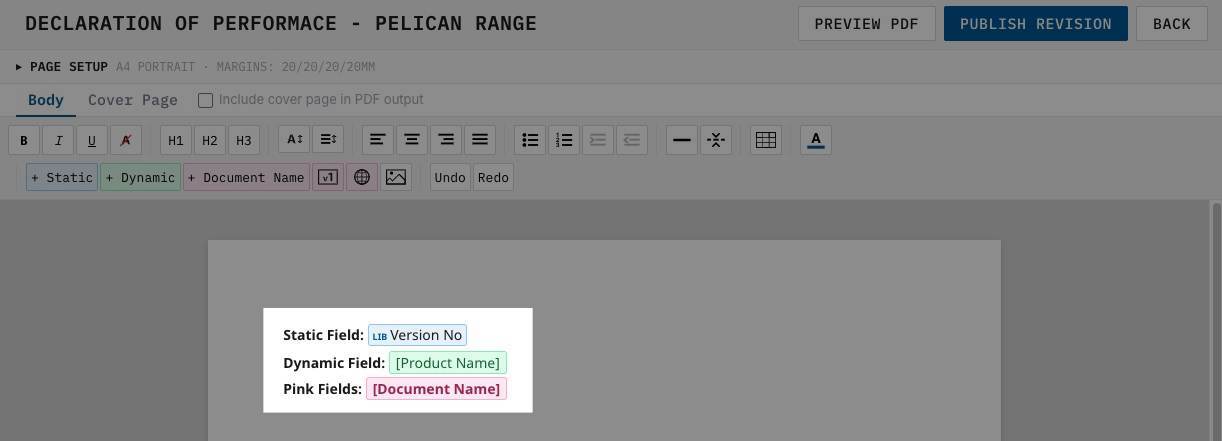
Every template and document is built using structured data fields. There are three kinds, color-coded in the editor so you can tell them apart at a glance.
Static Fields (blue)
Static fields are reusable blocks of text that live in a central library. You write them once, translate them once, and drop them into as many templates as you need.
A typical static field is a regulatory clause, a disclaimer, a safety warning, or any other passage of text that reappears across multiple documents and doesn’t change between products.
Because they are shared, editing a static field in the library updates it everywhere it is used — with one important safeguard: when a document is published, the static field is pinned to the version that was live at the time. Later edits to the library won’t silently rewrite documents that were already signed off.
Dynamic Fields (green)
Dynamic fields are placeholders for product-specific data. The template defines the placeholder (label, data type, required or optional); each document fills it in with its own value.
For example, a template for a Declaration of Performance might contain dynamic fields for product name, batch number, test results, and manufacturer address. The template stays the same; every document you create from it plugs its own data into those green slots.
Pink Fields
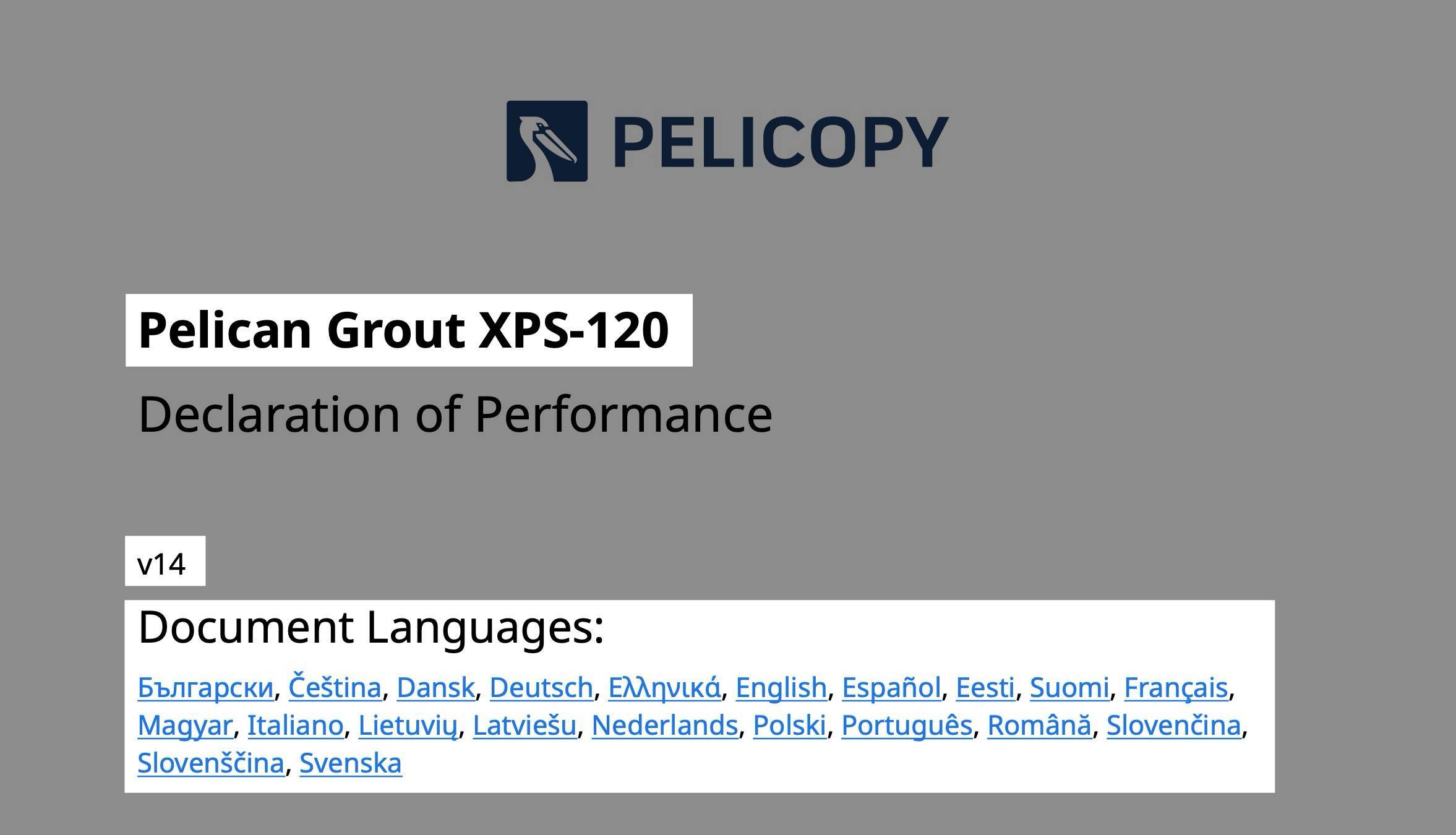
Pink fields are three special placeholders that resolve automatically at PDF generation time:
- + Document Name — the name of the document.
- + Revision — the current revision number.
- + Language Index — a clickable list of the languages included in the PDF. Can be inserted as a column or as an inline list.
You don’t fill these in manually, and they aren’t translated. They pull directly from the document itself when the PDF is assembled.
Templates and Documents
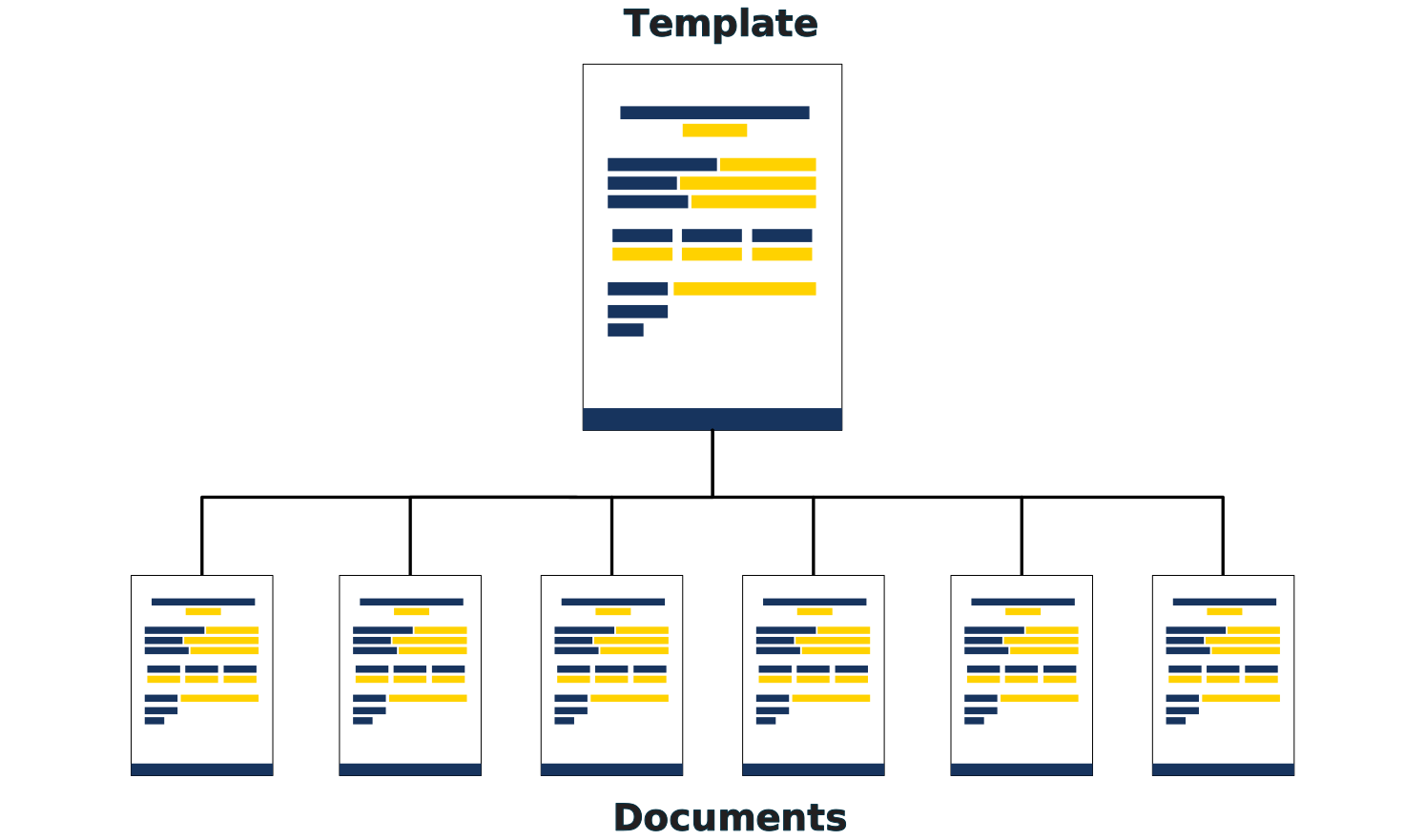
A template defines the layout: what goes where, which static fields are included, and which dynamic fields need to be filled in.
A document is a single instance built from a template. It holds the actual values for the dynamic fields, selects its master language, and ultimately produces the PDF.
One template can be the foundation for hundreds of documents. Change the template, and future documents inherit the new layout; existing documents stay on the template revision they were published against.
Versioning
Almost everything in Pelicopy is versioned, so you can always trace what a published document looked like at a specific point in time.
- Templates are versioned as revisions. Publishing a template creates a new revision and locks it. Documents reference a specific published revision.
- Static fields are versioned in the library. When a document is published, the current version of each static field is pinned to that document, so later edits in the library don’t rewrite already-approved documents.
- Documents are versioned as revisions. Each time you publish a document, a new revision is created with a snapshot of the data. The previous revision becomes superseded.
Translations: two different models
Translations in Pelicopy follow two distinct rules depending on which type of field is being translated.
Dynamic field translations are per-document and snapshotted per revision. Under the hood, creating a new revision physically copies the dynamic field translations from the old revision to the new one, so editing a translation on the new revision does not affect the superseded revision’s stored translations. A superseded document’s dynamic translations are a frozen, revision-accurate record of what that revision looked like at the moment it was superseded.
Static field translations are organization-wide. They live in a central library, keyed by the field itself — not by any document or revision. Editing a static field translation updates it for every document that uses the field. The safeguard here is version pinning: when a document is published, it pins the version of each static field that was live at publish time, so later edits in the library don’t silently rewrite already-signed-off documents.
In day-to-day use, neither rule matters much for superseded or withdrawn documents — those can only be printed in the master language anyway. But the two models do differ when it comes to exports and audits: a dynamic-field translation export of a superseded document is an accurate historical snapshot, whereas static-field text in a reprinted PDF resolves through the pinned-version chain.