Every document moves through a defined lifecycle.
- Draft — while your team is working on it.
- Published — the moment it ships.
- Superseded — replace by newer version.
- Withdrawn — when it's retired.
Everyone always knows what state every document is in.
Pelicopy is the platform for creating, translating, and publishing multilingual product documents — Declarations of Performance and any other structured document your markets require.
Design your document layout once. Use it for every document of that type.
Build documents the way you build slides — type, format, drop in tables and images. Add your logo, set the page size, define which fields will be filled in per document. Nothing to learn beyond a basic word processor.

Preview your template PDF straight from the editor. What you see is exactly what you will get.
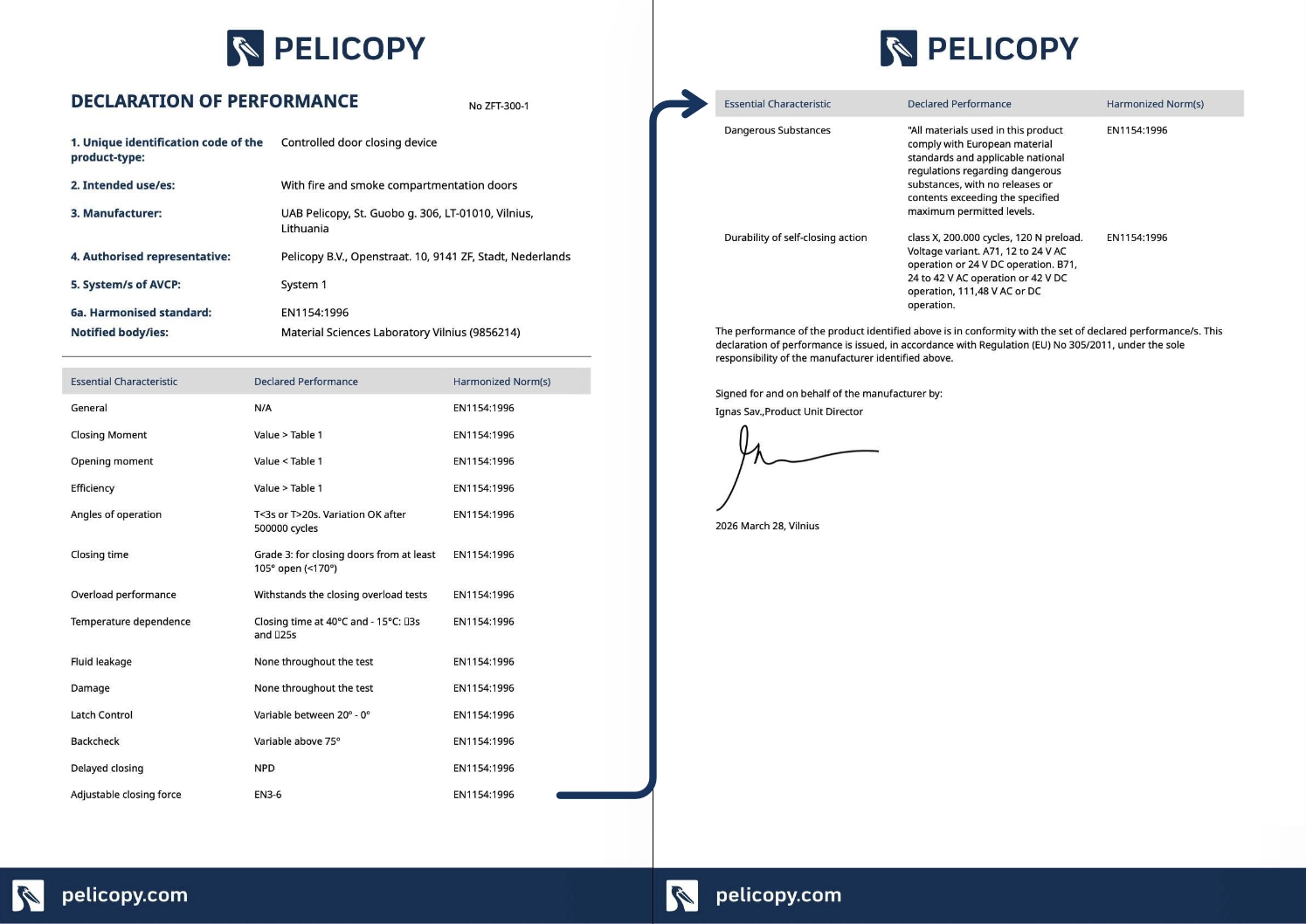
Tables that span multiple pages break at the right place automatically, with the header row repeated at the top of each new page. Readers never lose context mid-table.
Each template can include a cover page that lists every language in the document. One front door for the entire multilingual PDF.
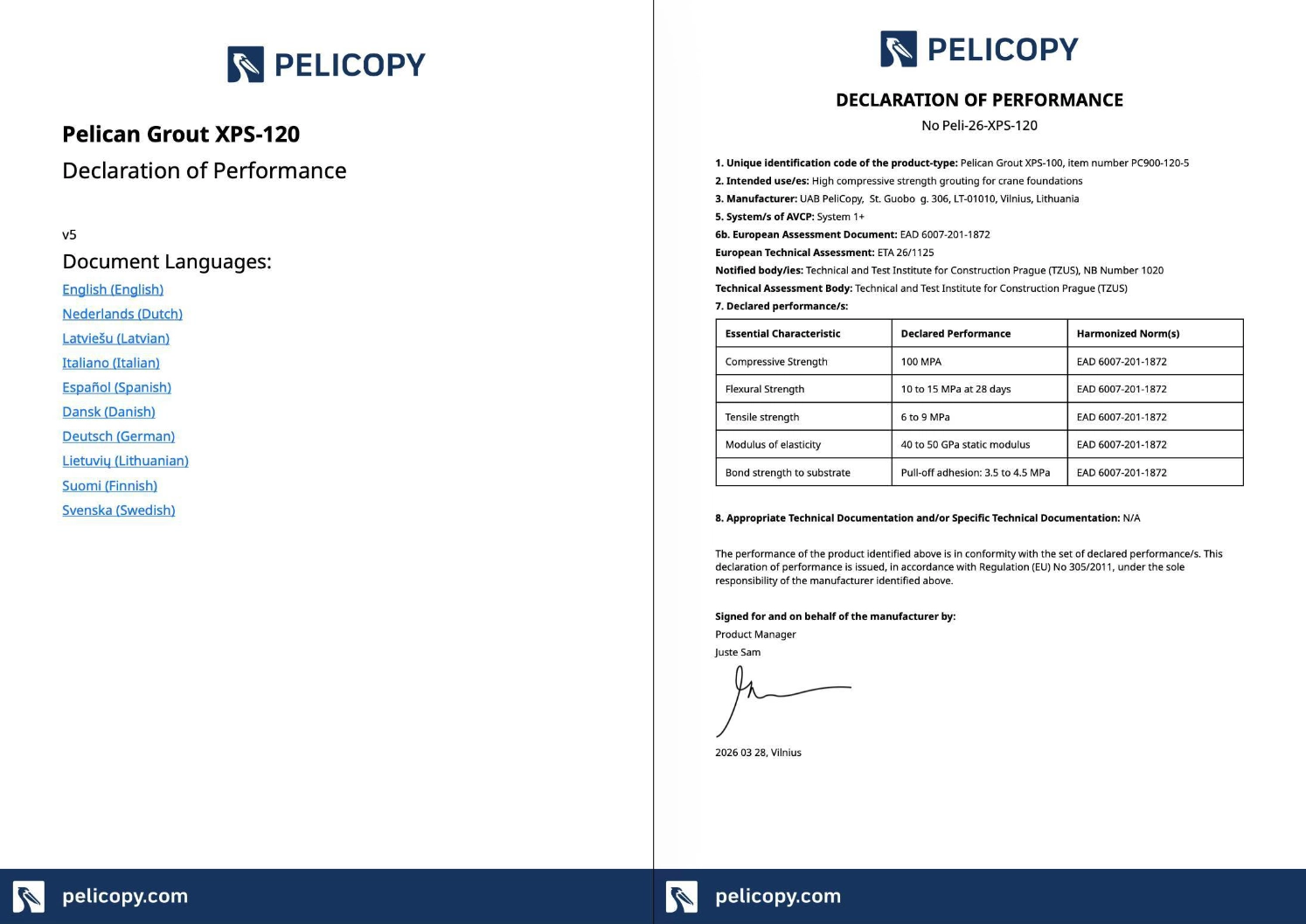
Click any language in the cover index and the PDF jumps straight to that section. Multilingual without the friction.
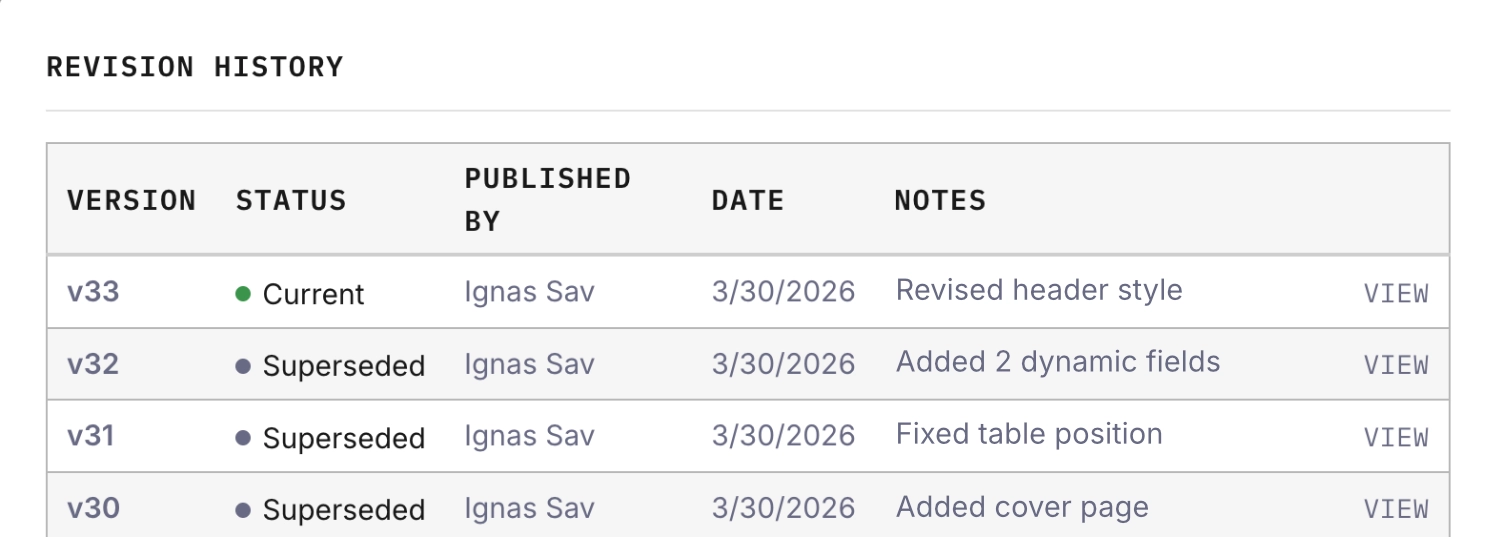
Every change to your template is preserved. See exactly how your document has evolved.
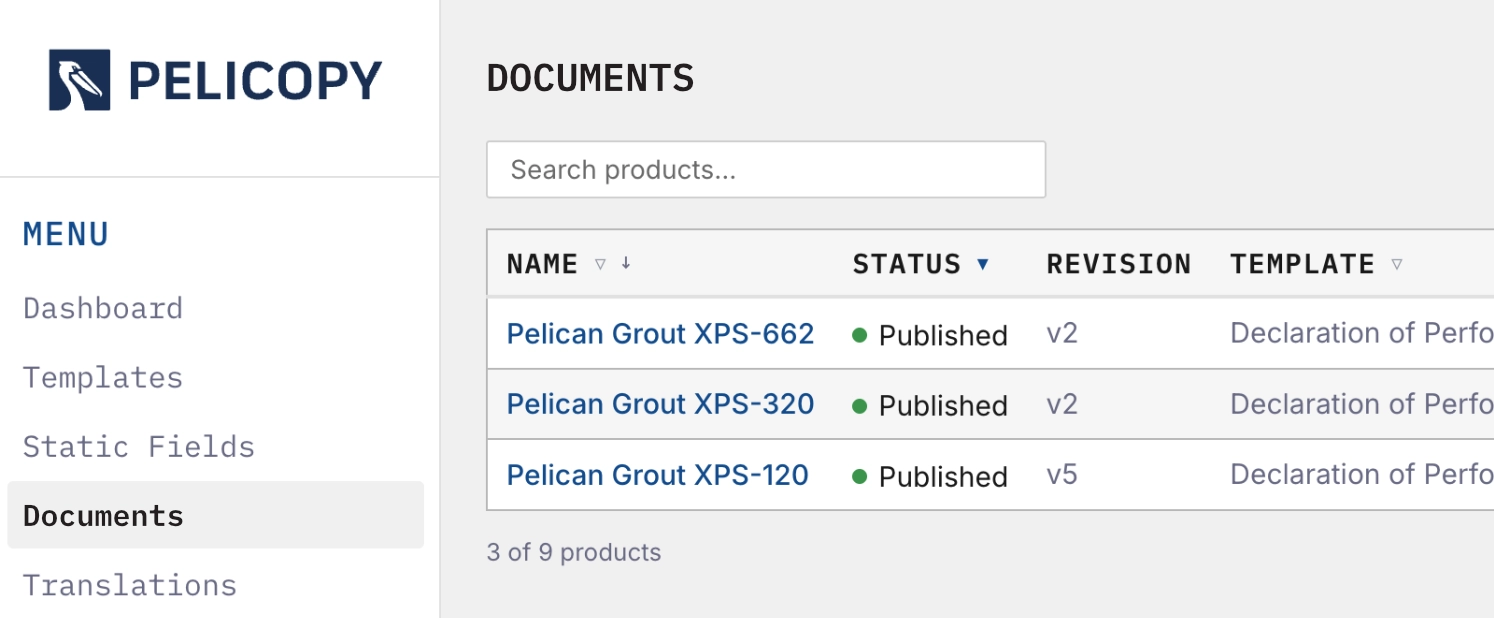
Keep every document's content, translations, and revisions in one place.
Once a template is published, create as many documents as you need from it. Each new document inherits the layout, the fields, and the pre-loaded translations — so you start from scratch only once.
Every document moves through a defined lifecycle.
Everyone always knows what state every document is in.
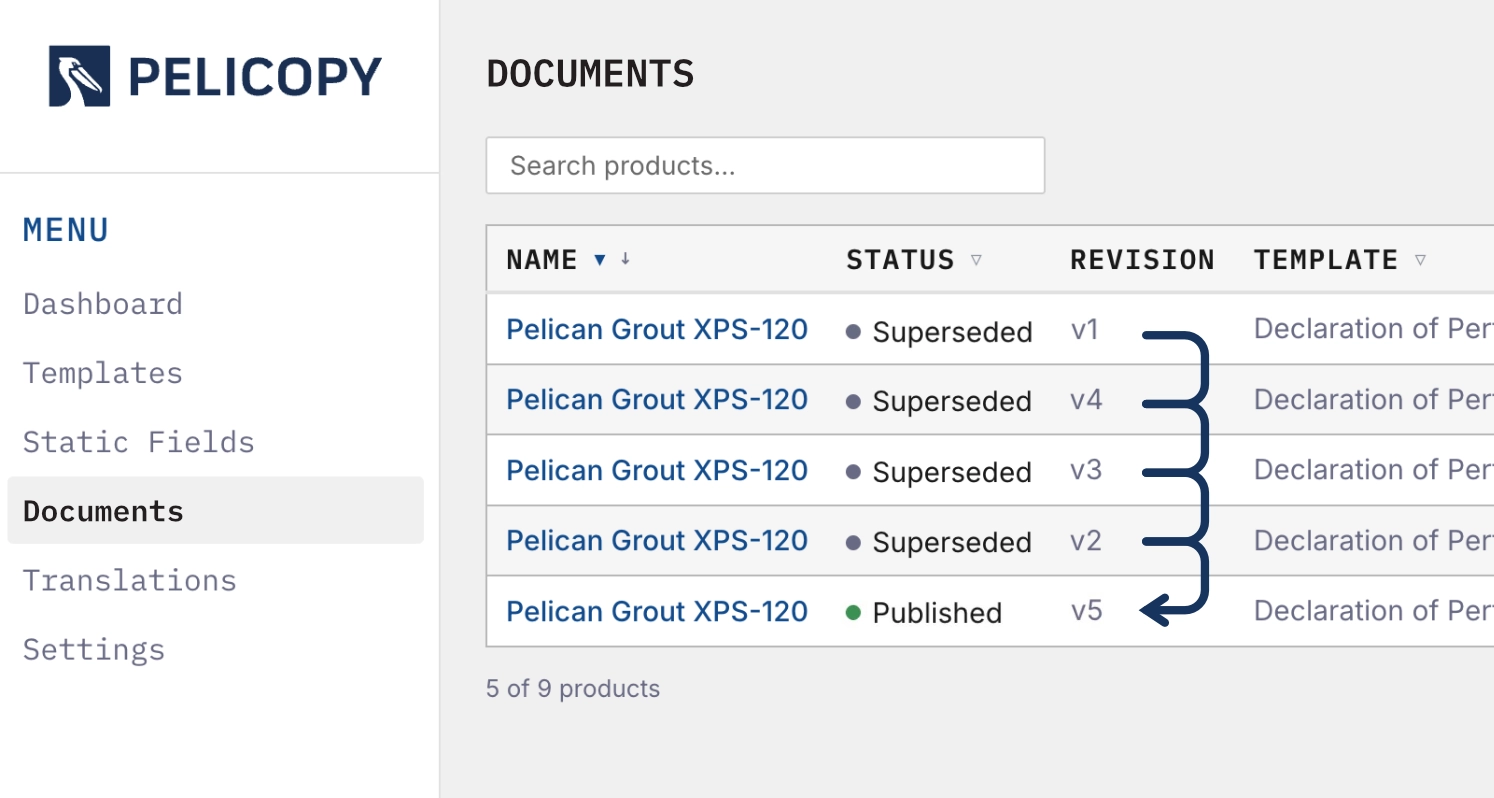
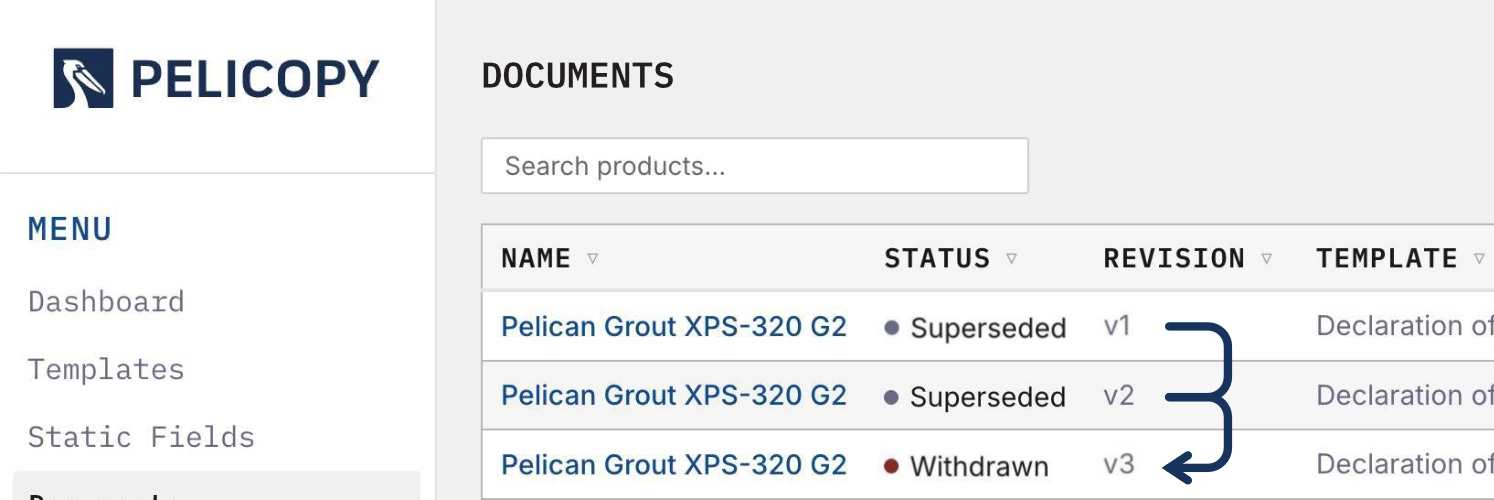
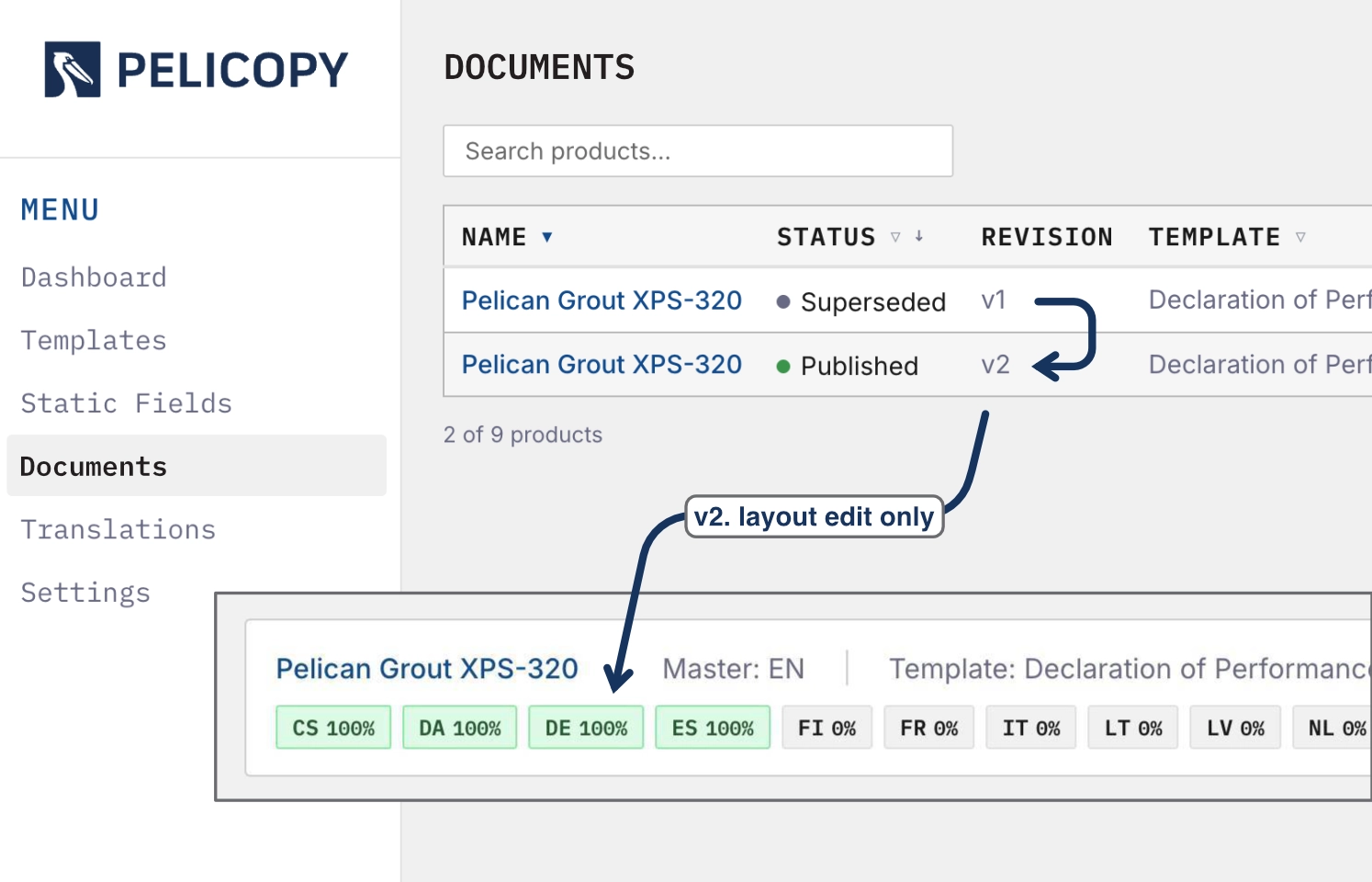
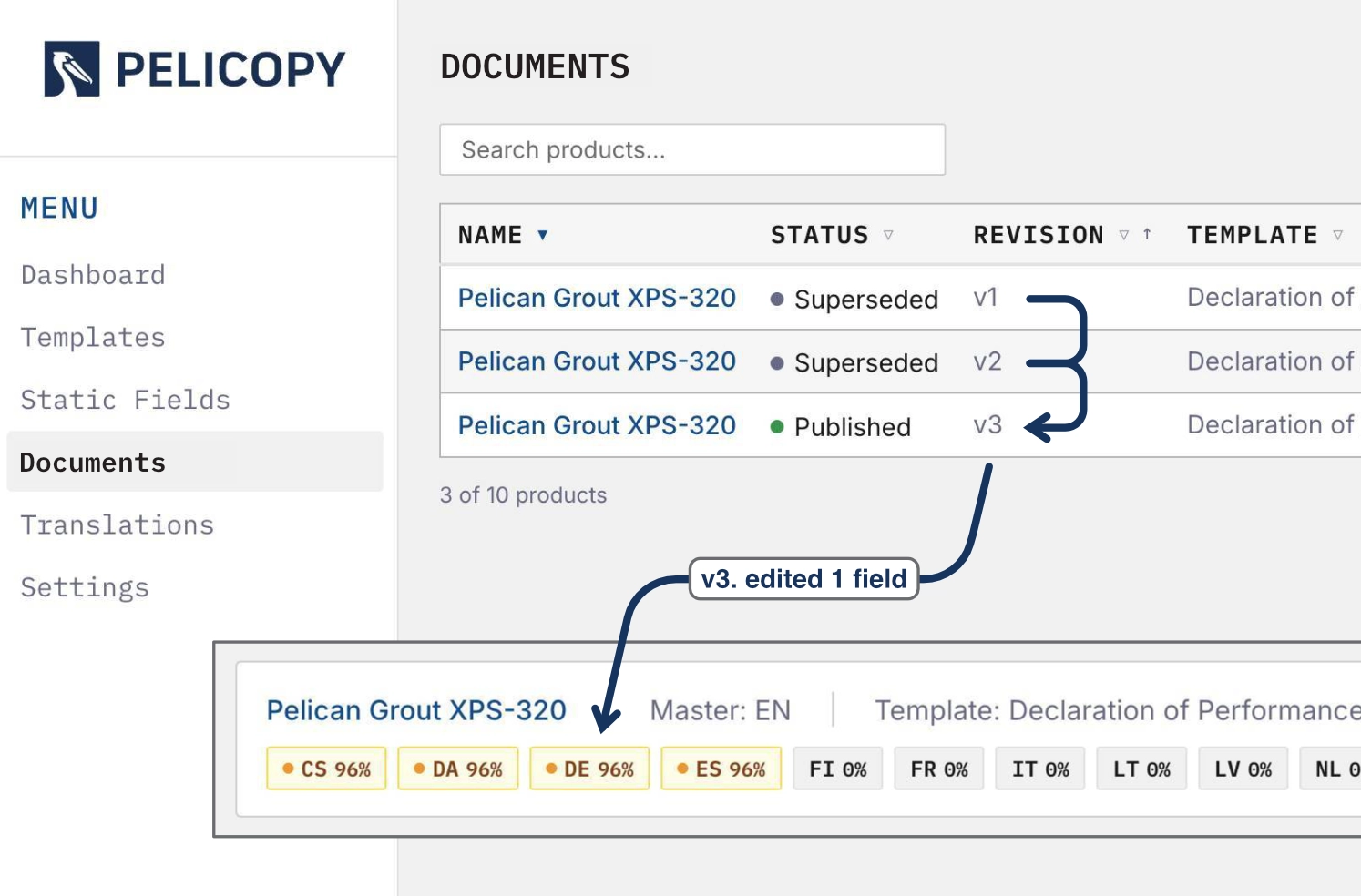
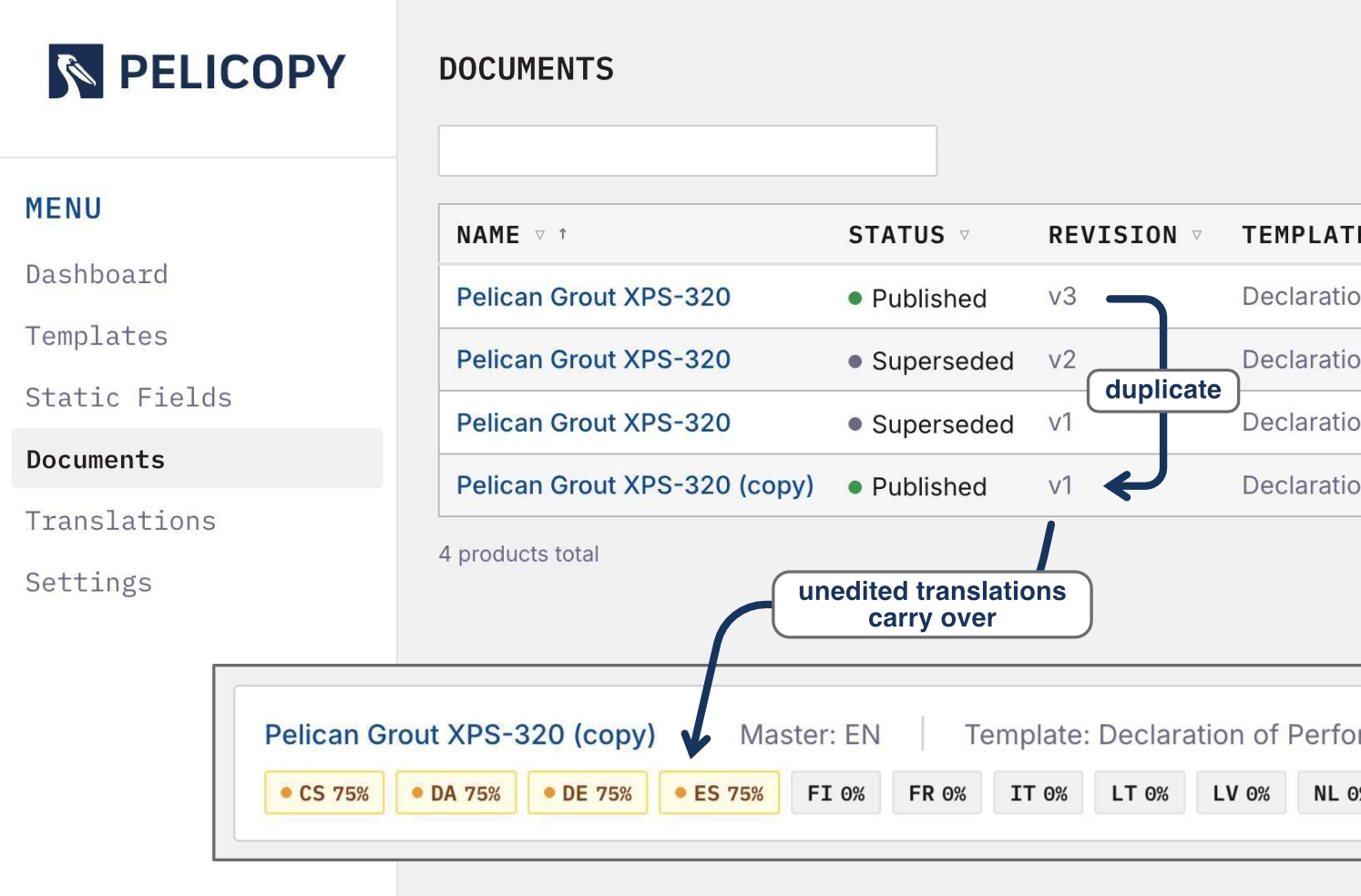
When you publish a new revision, every approved translation is inherited automatically. Only the fields you actually updated are marked for re-translation. Your team never translates the same content twice.
Start on the foundation you already have. Duplicate any document — and all of its approved translations — to launch a new variant in minutes. Perfect for product families that share most of their content.
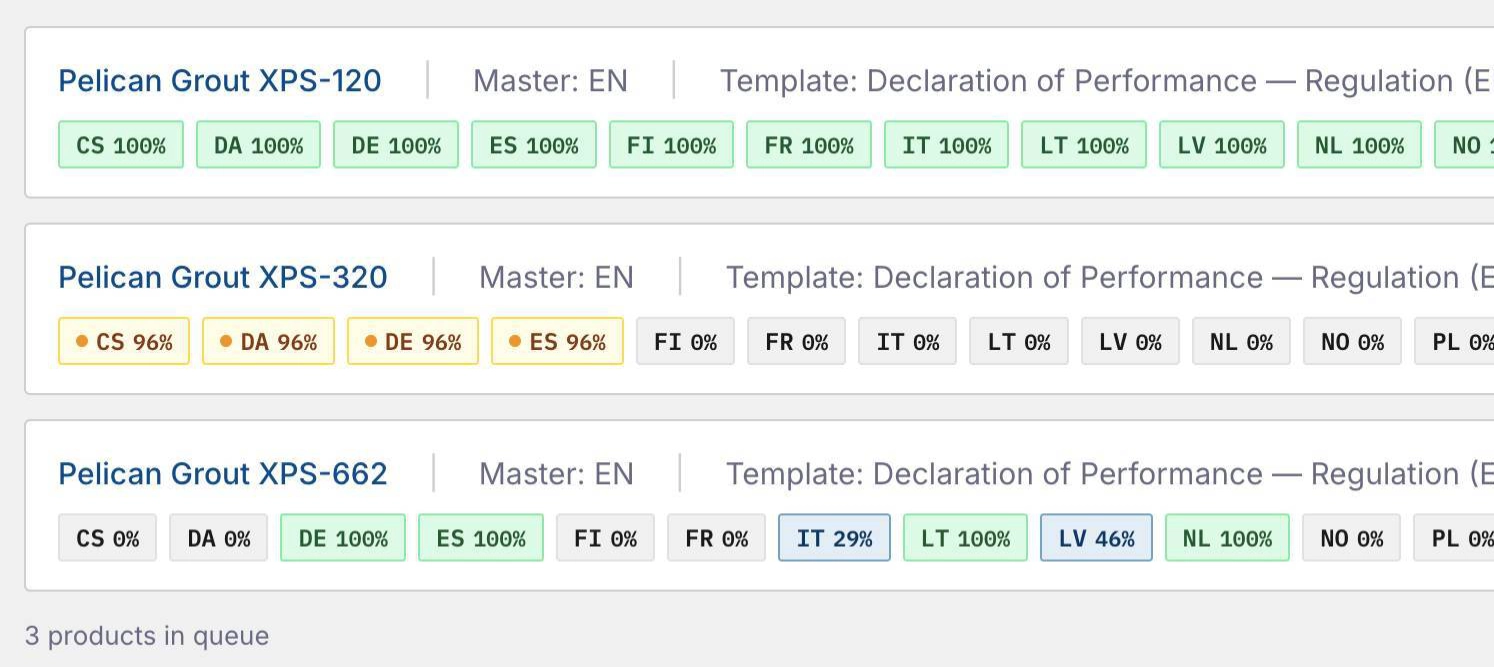
From "untranslated" to "shipped" without losing track.
All 24 official EU languages plus Norwegian, ready out of the box. Need additional languages? They can be enabled on request.
Translate every translatable field into every active language with a single click. Translations land as 'machine translated', ready for your team's review and approval. Speed of AI, confidence of human translation.
Some text repeats across every document — your company address, section headers or standard references. Other text is unique per document. Pelicopy handles both: deploy a reusable phrase once and reuse it infinite times.
Reusable text
Translatable fields that stay the same across every document of a given template — your company name, your address, section headers. Set them once at template level and they flow into every document automatically.
Document-specific text
Translatable fields that are unique to each document — product names, technical performance values, descriptions. Filled in per document, translated per document.
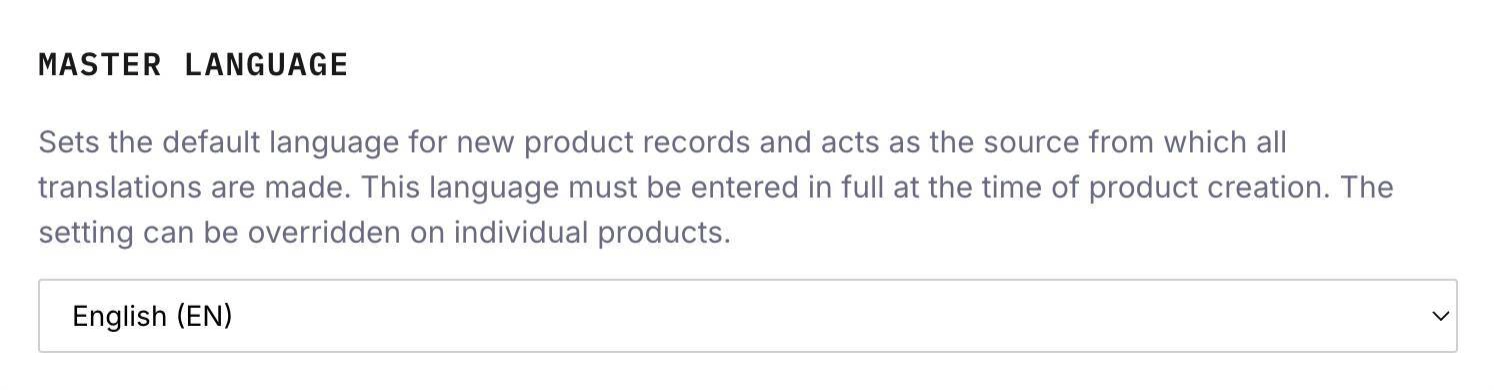
Choose the language you write in first for each document. Every other language flows from there.
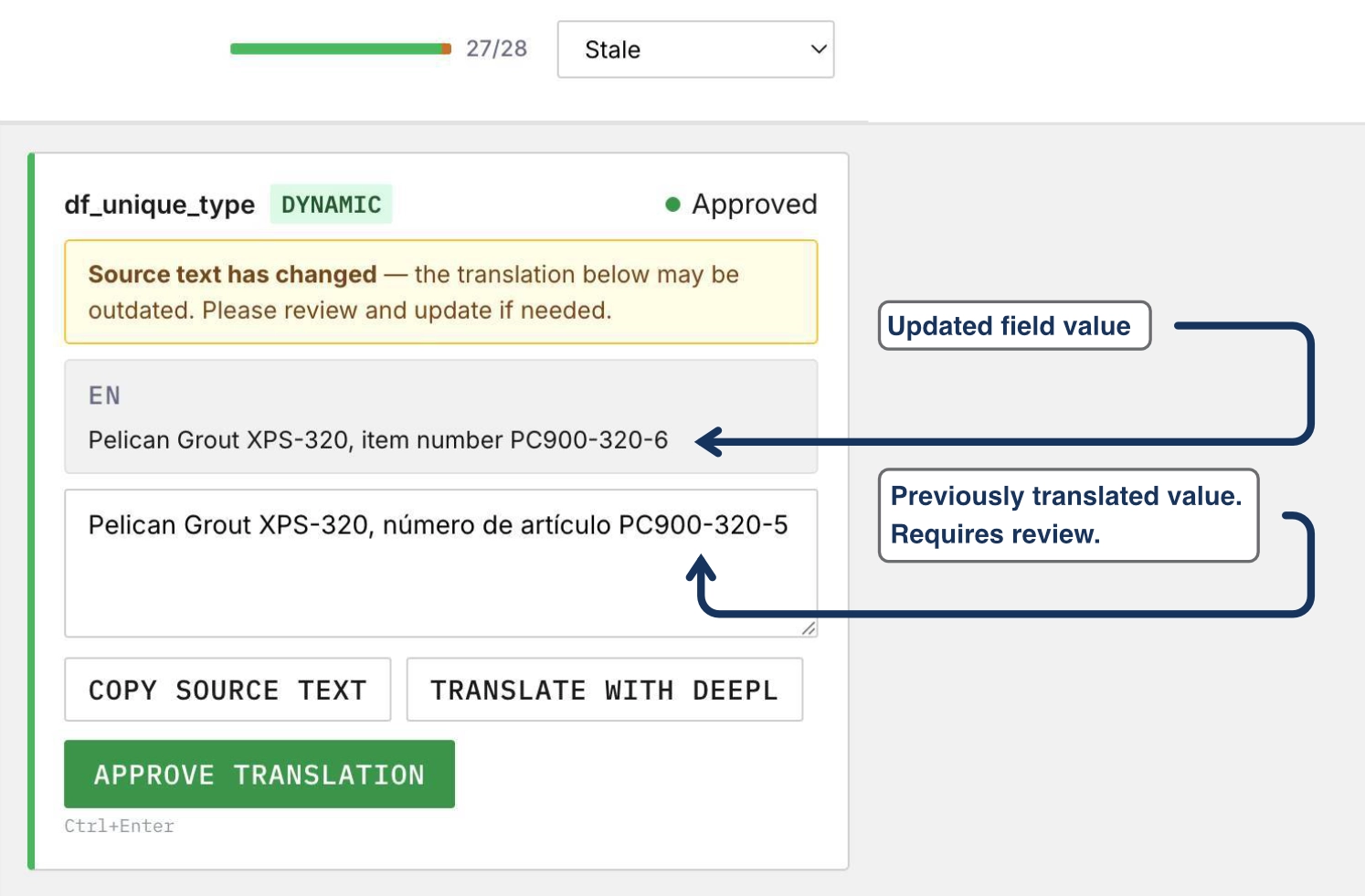
Every translatable field has its own status: Untranslated → Draft / Machine Translated → Approved → Stale. You always know what's done, what's pending, and what needs review — without scrolling through the document.
When source text changes, every approved translation that depended on it is marked stale and flagged for review. An outdated translation will never slip into a published PDF.
Every account ships with the standard regulatory headings from CPR 305/2011 (Annex III) and the new CPR 2024/3110 (Annex V), pre-translated into all 24 EU languages. That's over 1,650 translations across 69 fields, ready on day one.
BG ДЕКЛАРАЦИЯ ЗА ЕКСПЛОАТАЦИОННИ ПОКАЗАТЕЛИ One PDF. Every language. With the controls compliance teams expect.
Generate a single, lightweight PDF containing every approved language. One file to distribute, archive, or hand to a customer — instead of 24 separate documents.
All 25 languages still fit comfortably under half a megabyte — small enough to email, easy to archive.
A language can only appear in the published PDF if every translatable field in that language has been approved. No half-translated documents. No drafts shipped by accident.
Everyone has exactly the access they need — nothing more, nothing less.
Admin
Full access. Manages the account, configures languages, manages users.
Master User
Owns templates and documents, manages translations for assigned languages.
Translator
Reviews and approves translations for assigned languages only.
An actual multi-language Declaration of Performance generated by Pelicopy.
View Example PDF →Reach out and we will open a working Pelicopy environment, complete with sample data, within one business day.
We’ll get back to you within one business day.
Thank you! We’ll be in touch within one business day.